
MaxAI Review: An AI Side Panel for Work Already Happening in the Browser
MaxAI brings summaries, rewrites, and multi-model chat into a browser side panel; the fit depends on how often you work from web pages and what page content you are comfortable sending to AI services.
Research review · Evidence & methodology
Research-synthesis review
Source review date 2026-11-03
Discount code
What is the discount code for MaxAI?
MaxAI offer: $1 USD off all payments with code CCRVRAMI. Enter the code on the plan you choose at checkout.
What works
- The side-panel workflow can summarize, explain, rewrite, translate, and answer questions about the page or file already open.
- The free tier lists three Pro chats per day, which gives an individual a way to test whether browser placement saves a meaningful context-switch.
- The product offers multiple models and page-oriented tools in one extension rather than requiring a separate tab for every small task.
Considerations
- Using an AI assistant with web content raises a real data-handling question; the current store disclosure and older privacy policy do not present a single, current end-to-end account of every data path.
- The headline annual price is a per-member rate, the promotion is described as limited-time, and paid subscriptions renew automatically under the terms.
- Individual users report both useful summaries and frustration with account, cancellation, support, or interface details; the reports are anecdotal.
Pricing
- Model
- Per-member browser-assistant subscription with a free tier and Pro plan
- Entry price
- Pro is currently listed at $30 per member/month monthly or $12 per member/month billed yearly ($144 per member for the year).
- Honest cost-per-result
- Not measured. Pro chat is listed as unlimited but is subject to fair-use controls; team seats add per-member cost.
Our verdict
MaxAI’s case is convenience: you can ask about the page in front of you, rewrite selected text, translate, summarize, and switch among AI models without moving the work into a separate chat tab. That can make routine reading and drafting feel more continuous, especially for people who spend most of the day in a browser. The official site, checked November 3, describes a Chrome- and Edge-oriented assistant that works across web pages, files, video, and common writing tasks.
The main buying decision is not simply which model appears in its chooser. It is whether the browser side panel saves enough context switching to justify another subscription, and whether your team is comfortable using an extension with page access for its chosen tasks. For a broader standalone workspace comparison, see our ChatGPT review, Claude review, and AI workspaces for operators guide.
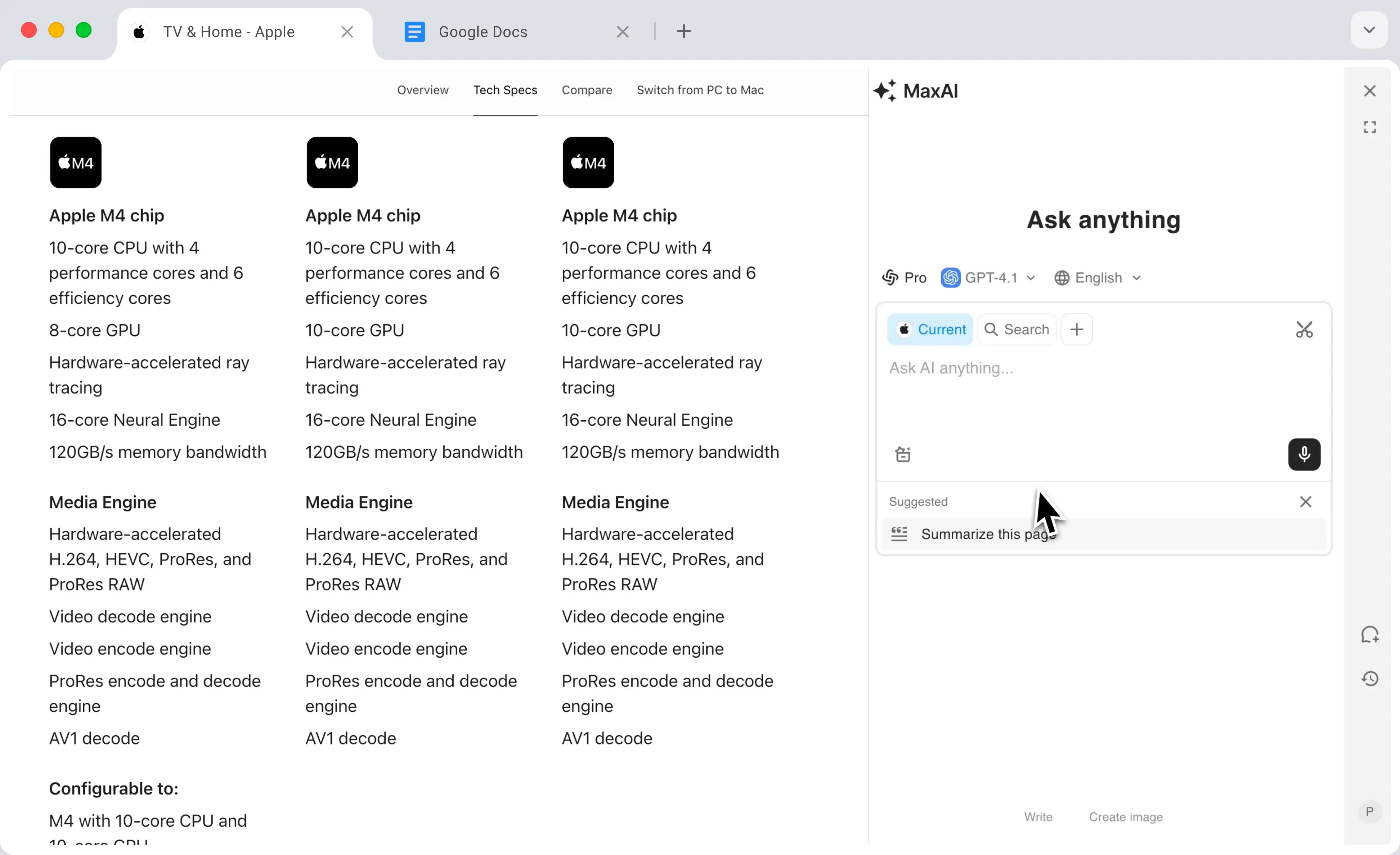
MaxAI’s official homepage demo image. It illustrates the side-panel layout and is not an independent capture or performance test.
Where a browser layer helps
MaxAI’s strongest fit is a small task that starts with a page: summarize a long article, ask a question about a PDF or video, improve a sentence, or translate something without copying it into another app. Its current pricing comparison lists page and file sources, web search, rewriting, translation, and multi-model access. Those are features to evaluate in the extension itself; a list on a pricing page does not show whether the side panel fits your browser, account, or daily routine.
The free plan currently lists three Pro chats per day and limited file uploads. Pro is shown with unlimited Pro chat, more search sources, higher file-upload limits, image generation, and team member management. The pricing table labels several models beta, so check the live chooser for the task you actually need before treating model breadth as a durable plan benefit.
The team wording deserves a closer look. Pricing is displayed per member, so the annual rate multiplies by the number of seats. A browser assistant can be useful for one operator and still become a meaningful recurring cost if every employee needs Pro access.
Price, renewal, and cancellation
The pricing page, checked November 3, 2026, shows Pro at $30 per member per month billed monthly or a limited-time $12 per member per month billed yearly. The annual display implies $144 per member for a year at that rate. The page says subscriptions use automatic payments, and that users can cancel or manage billing through “Your Plan” and the Stripe customer portal. Confirm the exact charge, renewal interval, and number of members in the order summary before paying; a displayed monthly equivalent is not a monthly invoice.
The Terms of Service, checked November 3, say paid accounts renew automatically until canceled and set out a no-refund policy, subject to applicable local cancellation rights. The pricing page uses a limited-time promotion label. If you are evaluating MaxAI for a team, try it with one actual work pattern first and calculate the full seat count before multiplying the annual offer.
The privacy question belongs in the trial
A browser assistant’s usefulness depends on the context it can read, so the data path is part of the product decision. MaxAI’s Privacy Policy, last updated June 29, 2023 according to the page, describes identity, synchronization, and diagnostic information. The current Chrome Web Store listing has a separate developer disclosure that includes personally identifiable information, user activity, and website content. Those disclosures are not identical in age or detail.
Tooltivity’s October 2026 review says it examined extension version 8.37.3 and found that page content and prompts are sent to external AI providers when those features are used. Tooltivity is a commercial extension directory rather than a privacy auditor, so treat its report as a prompt to verify the current behavior and controls. For confidential pages, ask what is sent, which provider receives it, whether content is retained, and whether an administrator can limit use. Do not assume that a side panel keeps page text on your device.
What outside reports suggest
The same Tooltivity review describes the side panel and context-menu workflow as useful for on-page tasks, while raising privacy and control questions. Its audit was tied to a particular extension version; current settings or provider integrations may differ. The consumer-advocacy group TINA.org’s June 2025 MaxAI report examined an older purchase path and said billing-period and cancellation details were difficult to find. That is a dated account, not a finding about today’s interface, but it makes the current price display and cancellation route worth checking before subscribing.
Selected Chrome Web Store reviews include individual praise for summaries and multi-model utility alongside complaints about cancellation, support, and interface clarity. User reviews are self-selected experiences; they do not establish the rate or current cause of those problems. Use them to make a short list of questions for your own trial rather than treating their tone as a performance metric.
A practical trial checklist
Use a public, non-sensitive page first. Try a summary, a follow-up question that requires a specific detail, a rewrite that must preserve meaning, and one file or video source you actually use. Check the response against its source, and note whether the side panel saves more time than it takes to correct or re-prompt.
Then review the permissions and privacy terms in the current extension listing and product settings. Identify whether page text, selected text, prompts, files, or account information are sent to a model provider; check retention and deletion controls; and decide whether the extension belongs in your work browser. For paid use, compare monthly and annual totals per seat, test cancellation controls, and read the renewal summary before the first charge.
What does the MaxAI code confirm?
The purchase box below uses the existing MaxAI partner record and its current referral route. It displays the recorded code and benefit but does not establish plan eligibility, whether every seat qualifies, the final checkout amount, or attribution. Confirm the order summary before paying.
Recommendation
MaxAI is worth a trial for people who repeatedly read, summarize, translate, or rewrite material in a browser and want a persistent side panel. Its free allowance can help answer whether that location saves time. For an annual or team purchase, weigh the per-member total against the current renewal terms and resolve the page-content data questions first. Choose a standalone AI workspace if the work usually begins with files, projects, or longer conversations rather than the web page currently open.
Research basis
- Official homepage, pricing, Terms, Privacy Policy, and Chrome Web Store listing checked 2026-11-03; source matrix and image provenance are in research/content-sources/creatorflow-clarityai-maxai-2026-11-03.md.
- A commercial extension review, consumer-advocacy purchase-path report, and selected Chrome Web Store reviews inform the workflow, privacy, and subscription questions.
- The existing MaxAI offer record supplies the purchase box and code FAQ; checkout, plan eligibility, taxes, attribution, and savings beyond the stated record are not established here.
Last reviewed 2026-11-03. Research-synthesis briefs are updated when pricing, model access, or major product behavior changes. See our methodology and affiliate policy.