
Clarity AI Review: Crystal Upscaling for Detail-Sensitive Images
Clarity AI offers a precision-oriented Crystal model alongside more creative upscalers; choose by how much source detail must survive and how much review time you can spend.
Research review · Evidence & methodology
Research-synthesis review
Source review date 2026-11-03
Discount code
What is the discount code for Clarity AI Crystal Upscaler?
Clarity AI offer: 5% off each payment for the first 3 months with code SEBASTIAN. Enter the code on the plan you choose at checkout.
What works
- Crystal is positioned for preserving source detail, while Clarity and Clarity Pro expose a more creative enhancement path.
- The pricing table shows how output size and model change credit use, giving buyers a concrete way to plan a representative workload.
- The web app and API offer separate routes for individual editing and integration into a larger image workflow.
Considerations
- The largest Crystal outputs consume a substantial share of a monthly credit allowance, and unused subscription credits reset rather than roll over.
- Independent small-sample comparisons report image-specific halos, text legibility, or detail changes that call for checking the original beside the result.
- Current public user reports specific to the paid Crystal product are limited; older open-source project issues should not be treated as current product findings.
Pricing
- Model
- Monthly subscription with model-specific credits; API usage is also priced by output megapixel
- Entry price
- Pro is $49/month or $33/month billed annually ($396 upfront); Business is $299/month or $199/month billed annually ($2,388 upfront).
- Honest cost-per-result
- Not measured. Crystal's listed 4K/16 MP output uses 20 credits, 10K/100 MP uses 160, and 38K uses 2,400.
Our verdict
Clarity AI is most interesting when you need to enlarge an image and care about what happens to its details. Its product lineup distinguishes Crystal, positioned as the precision model, from Clarity and Clarity Pro, which let the operator pursue a more creative result. That split gives buyers a useful starting question: do you want the larger file to stay close to the source, or are you willing to let the model reinterpret texture in pursuit of a more polished look?
The answer should depend on the job. Product photos, portraits, and archival images call for a close side-by-side check. A more illustrative asset may tolerate a creative pass. Neither mode removes the need to inspect lettering, edges, faces, patterns, and small objects at the intended viewing size. For a different visual workflow, our Zebracat review covers generating social video drafts rather than enlarging an existing still image.
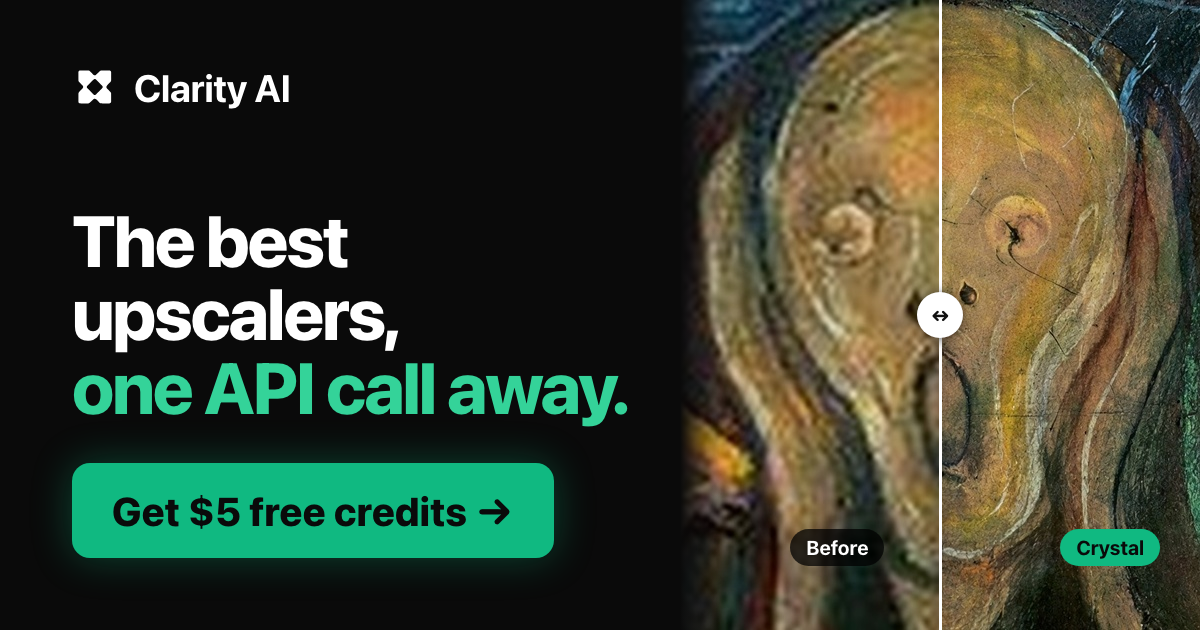
Official Clarity AI marketing image illustrating the Crystal model. It is a vendor-selected example, not an independent comparison result.
Crystal, Clarity, or Clarity Pro?
The official product pages, checked November 3, describe Crystal as the precision upscaler and list Clarity and Clarity Pro as creative alternatives. Crystal also supports very large outputs: the site says its maximum reaches about 1.5 gigapixels. That headline ceiling is a capacity claim, not a promise that every input improves at maximum scale. Upscaling can make artifacts larger or create plausible-looking details that were not actually present.
This difference shows up in outside comparisons. GoCrazyAI’s September 27 benchmark compared eight tools on five AI-generated images with known originals, using a shared 4K/default approach through WaveSpeed’s API. It reported strong detail and fidelity from Crystal on four of the five inputs, and one plausible invented leaf on a small room image. The page is a commercial comparison and the five-image sample is narrow; its observation is a reason to inspect small source details, not an expected error rate.
CraterView’s comparison, tested October 9–10 and updated October 23, used 12 real photographs and shared default settings. For most inputs, the page says there was no sharper original against which to score fidelity. It described Crystal as detailed and fast in that set while noting source halos that remained or became more visible and small lettering that could be misread. This is a different image set and method, also published by a commercial comparison site. Taken together, the reports support a practical check: preserve the original, compare at 100% and at intended display size, and review the details that matter to the image’s purpose.
Match the subscription to image size
The pricing page, checked November 3, lists Pro at $49 per month or $33 per month billed annually, with 4,000 credits a month. Business is $299 monthly or $199 per month billed annually, with 30,000 monthly credits. The annual display implies upfront totals of $396 and $2,388 respectively. The exact account order summary remains the place to confirm taxes and the charge before subscribing.
Credit use depends on model and output dimensions. The pricing table lists Crystal at 20 credits for a 4K, roughly 16-megapixel image, 160 for 10K/100 MP, and 2,400 for its 38K/approximately 1.5-gigapixel maximum. At those listed rates, Pro’s monthly pool is sized for 200 4K Crystal outputs, 25 10K outputs, or one maximum-size output before other use. Those are arithmetic examples from the published allowance, not a measured count of images a team will approve. Clarity creative 4K is listed at 8 credits; Clarity Pro 4K is 48, so changing models changes how far the allowance stretches.
The official terms, checked the same day, say subscription credits reset and unused credits do not roll over. Subscription payments may be refunded within 14 days only if no credits have been used; one-time API credit purchases are non-refundable. That makes the free or smaller purchase path useful when your volume is irregular. If you are integrating through an API, the pricing page lists per-megapixel model rates; compare those separately with the fixed subscription rather than assuming the web-app credits apply to API calls.
What user evidence can and cannot tell you
Public feedback specific to the current paid Crystal product is sparse compared with the much broader set of AI image tools. The older open-source Clarity Upscaler GitHub issues include a 2024 report about seams in tiled images, and another issue asks about API costs. Those posts concern an earlier open-source project and workflow; they are not evidence that the current hosted Crystal service has the same defect or price behavior.
The strongest recent external observations available here come from limited benchmark-style comparisons, not a large set of current customer reports. Use them as a checklist, not a ranking: test the kind of source that matters to you, inspect high-contrast edges and small text, and compare multiple output scales. A faithful upscale should be judged by whether the enlarged file remains fit for the intended use, not by a zoomed crop chosen for a vendor gallery.
A practical buying check
Before selecting an annual plan, price a month of representative jobs with the actual model and output size. Include retries and variants; a credit budget that covers one pass can still be tight if the operator needs multiple versions. For each source, keep the original, note the selected model and settings, then review faces, logos, product geometry, thin lines, texture, and text. If the image carries factual information, reject any output that changes it even when the added detail looks plausible.
The core choice is whether the model’s tradeoff matches the asset. Use Crystal as the starting point when source fidelity matters. Use a creative mode when reinterpretation is acceptable and you have a reviewer who can catch invented or altered detail. For production, define what counts as an unacceptable change before processing a batch.
What does the Clarity AI code confirm?
The purchase box below uses the existing partner record and links to Clarity AI. It displays that record’s code and stated benefit; it does not establish which model, plan, region, or customer qualifies, whether the offer stacks with annual billing, or what a completed order would cost. Confirm the final amount in the merchant’s order summary.
Recommendation
Clarity AI deserves a trial when you need substantial enlargement and can give each result an image-specific review. Crystal’s precision positioning and published credit table make the buying decision more concrete than a generic “enhance” button, while the external comparisons show why source texture, halos, and small details still need inspection. Start with the output size you actually need, calculate the credit use, and buy annually only if your recurring volume and review process support that commitment.
Research basis
- Official product, pricing, and terms pages checked 2026-11-03; source matrix and image provenance are in research/content-sources/creatorflow-clarityai-maxai-2026-11-03.md.
- Two commercial comparison publishers provide small, differently controlled image sets; their observations are prompts for buyer checks, not a quality rate.
- The existing Clarity AI offer record supplies the purchase box and code FAQ; model, plan, usage, eligibility, checkout, and savings beyond the stated record are not established here.
Last reviewed 2026-11-03. Research-synthesis briefs are updated when pricing, model access, or major product behavior changes. See our methodology and affiliate policy.